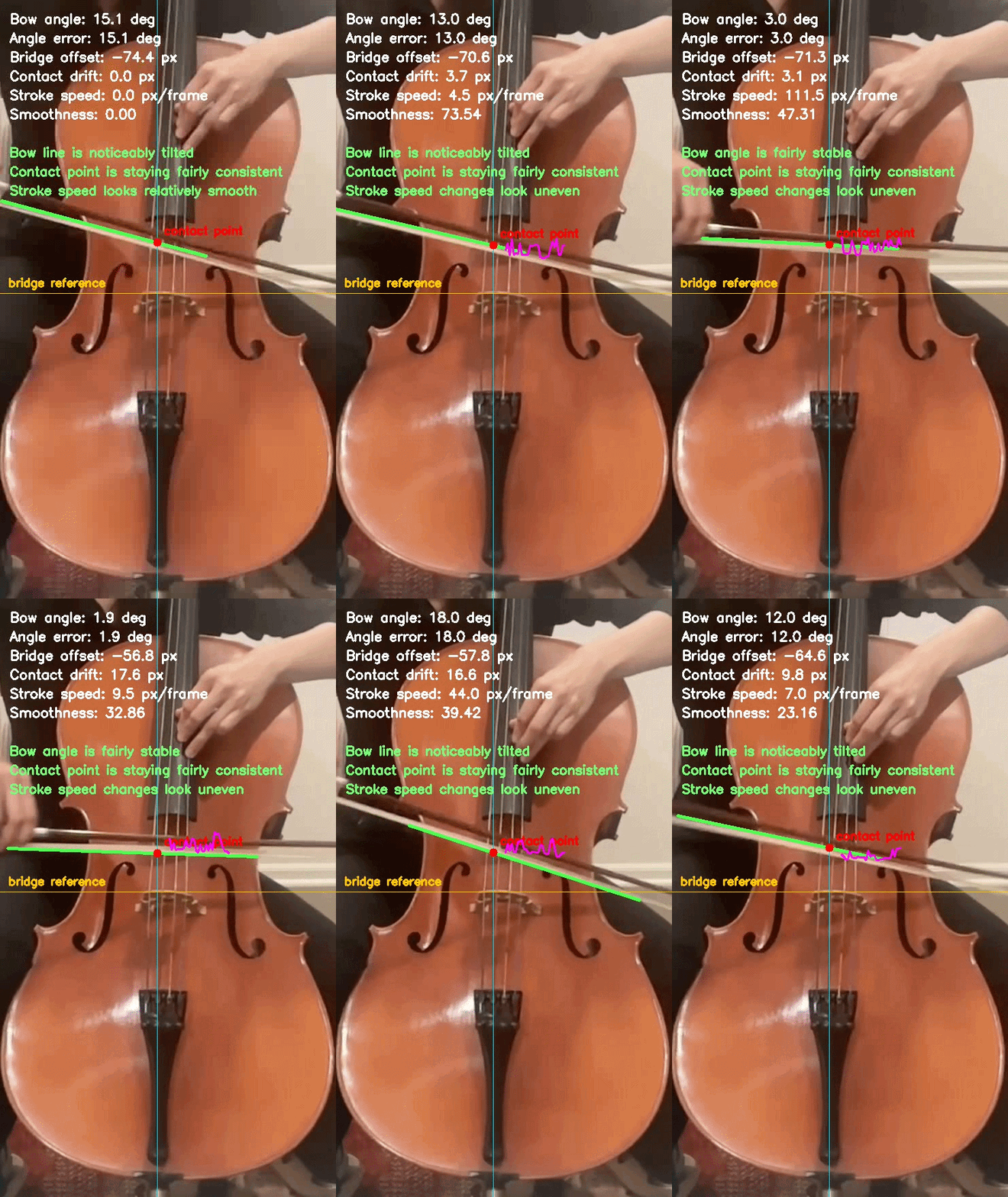
recorded demo
docs/assets/bow_metrics_demo.gif
Recorded bow-analysis demo.
A vision and embedded-sensing toolkit that turns bowing motion, posture, and early technique signals into measurable metrics and live feedback — webcam first, optional bow-mounted IMU second.
Stiff wrists, a lifted bow-side shoulder, a stroke that wanders off straight — these happen below a player's awareness. This project converts them into motion metrics and an overlay you can actually watch, so the correction has something to point at.
Tracks right shoulder, elbow, and wrist with MediaPipe Pose.
Estimates the arm angle from elbow to wrist, frame by frame.
Records the wrist trajectory over time to expose drift.
Measures rise above a relaxed neutral baseline.
Estimates jerk from changes in stroke velocity.
Renders technique feedback straight onto the video.
Runs on a live camera or a recorded clip, with optional saved output.
A single tool for bow, posture, or combined feedback.
Desktop capture: serial connect, labeling, CSV, live 3D motion.
Reference frames showing how the analyzer adapts to different camera angles and visible technique cues.
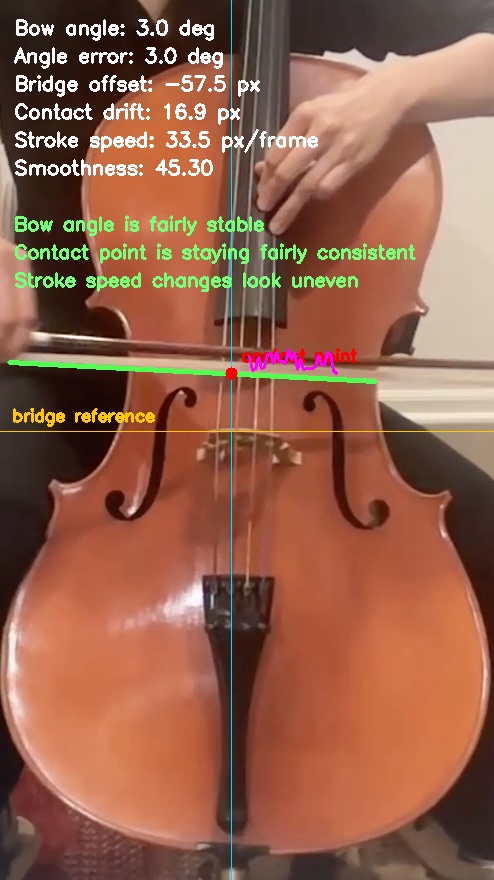
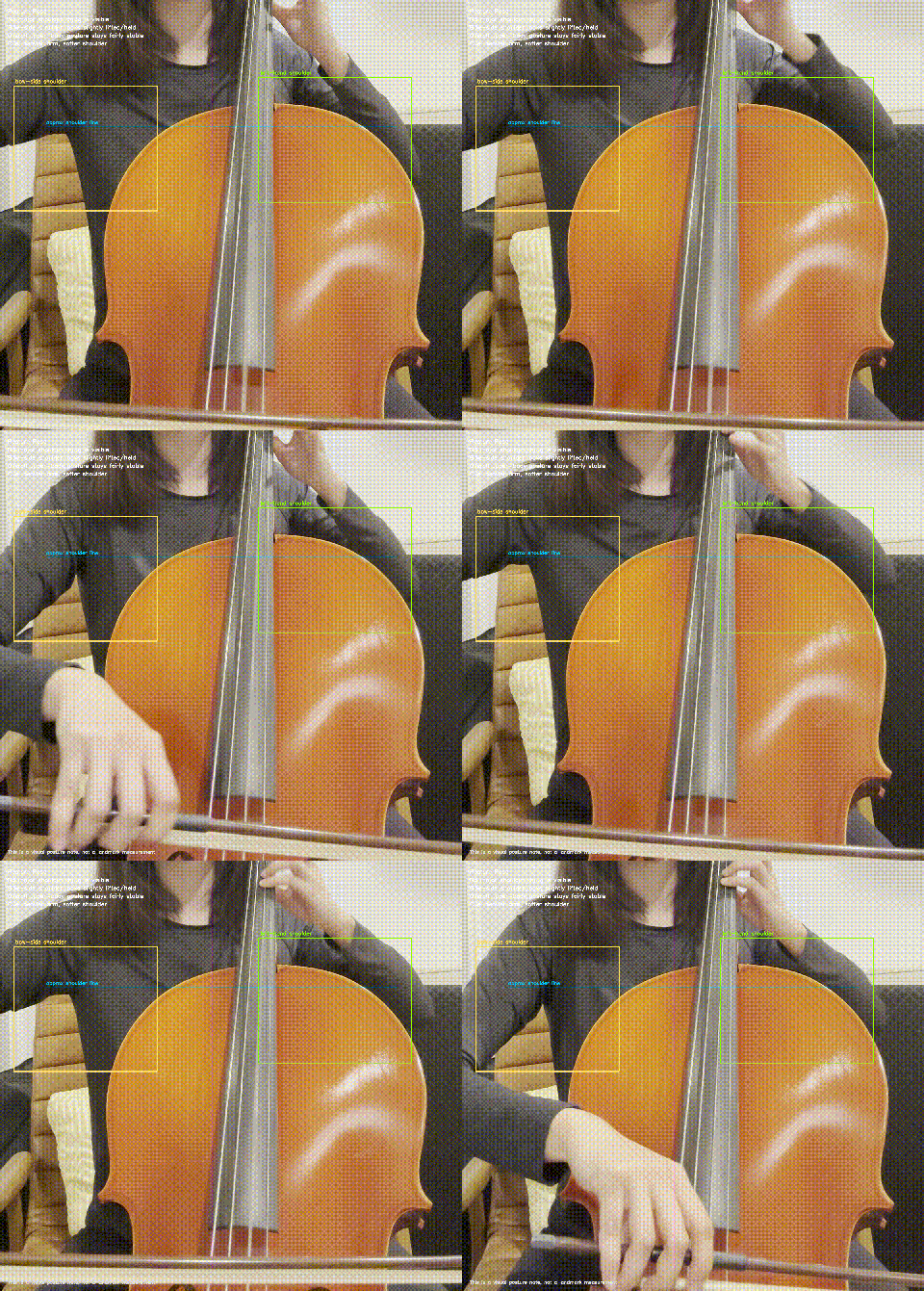
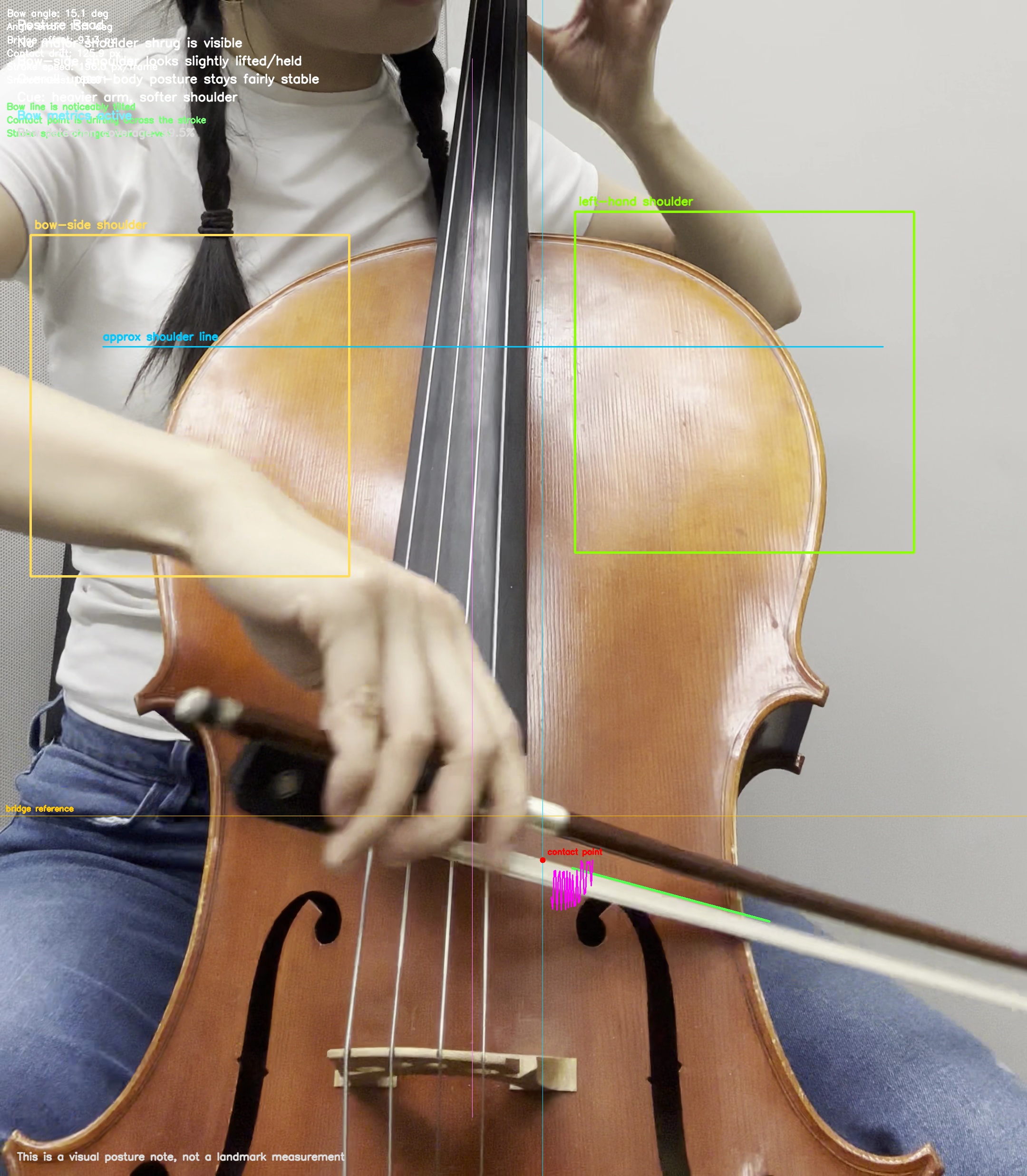
If a clip can't support confident bow tracking, the analyzer falls back to posture-only feedback instead of forcing noisy numbers. Here's the math behind each signal — exactly what the overlay above is computing.
The vertical rise of the bow-side shoulder above a relaxed baseline. In clips where the shoulder is visible, the analyzer flips into a posture overlay and flags tension cues; right now it's a visual coaching layer rather than a full landmark measurement.
if shoulder_baseline_y is None:
    shoulder_baseline_y = shoulder.y

shoulder_elevation = max(0.0, shoulder_baseline_y - shoulder.y)
For bow-visible clips, the analyzer fits the bow line and reports how far it drifts from a flatter stroke. angle_error_deg is the absolute deviation from that reference direction.
import math

angle_deg = math.degrees(math.atan2(y2 - y1, x2 - x1))
angle_error_deg = abs(((angle_deg + 90.0) % 180.0) - 90.0)
The bow demo trails the contact point where the stroke crosses the strings — making drift, direction, and consistency visible frame to frame. The contact point is the intersection of the bow line with the string-center reference; drift is measured against the first stable point.
t = (string_center_x - x1) / (x2 - x1)
contact_y = y1 + t * (y2 - y1)

if contact_baseline_y is None:
    contact_baseline_y = contact_y
contact_drift = contact_y - contact_baseline_y
Estimated from how much stroke speed fluctuates over time. Large swings read as jerky bowing; steadier values read as a smooth stroke. Lower σ is better.
import numpy as np

speed_history.append(speed_t)   # dist(midpoint_t, midpoint_t-1)
smoothness = float(np.std(np.diff(np.array(speed_history))))
The core repo works with no special hardware. The optional path mounts an ESP32-C3 SuperMini and a small inertial sensor on the bow to add roll, angular velocity, and jerk — fused with the video metrics rather than replacing them.
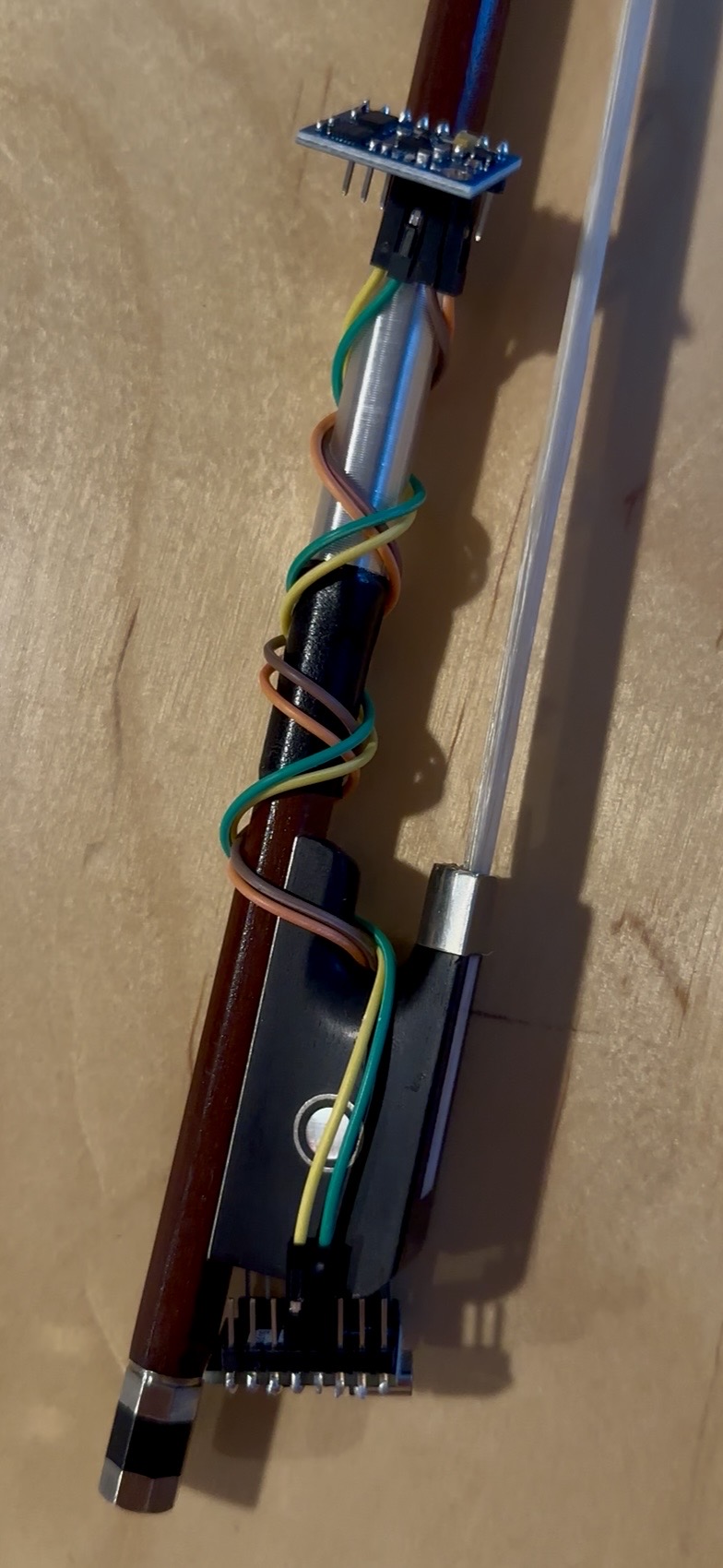
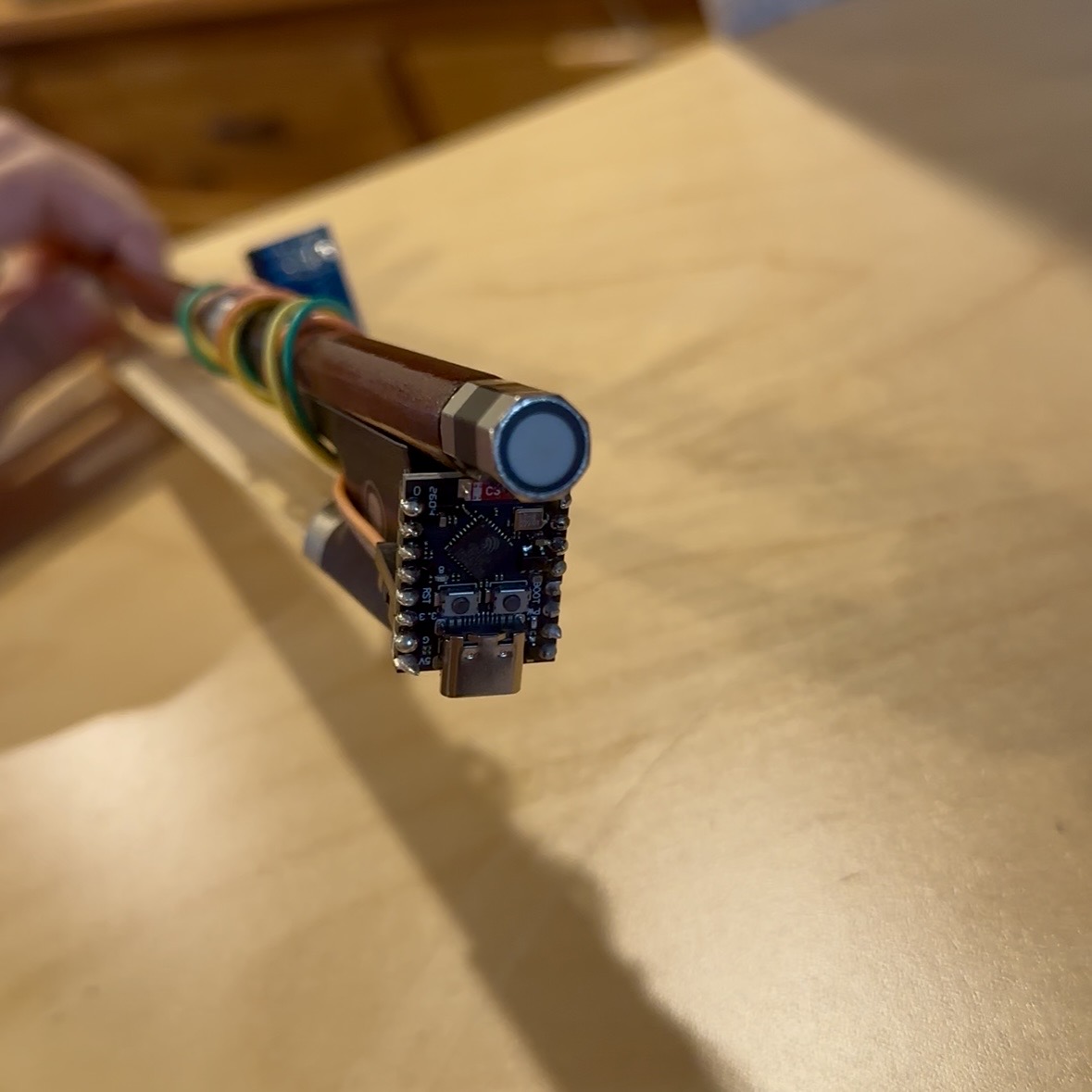
| Component | Approx. | Source |
|---|---|---|
| GY-85 9-axis IMUITG3205 + ADXL345 + HMC5883L. Bow-mounted, requires soldering. | $4.38 | AliExpress ↗ |
| ESP32-C3 SuperMini ×2Microcontroller board, requires soldering. | $5.49 / two |
Temu ↗ |
| WEP 926LED V3 soldering station130W kit: solder wire, 5 tips, tweezers, sucker, cleaner, temp control. | $29.99 | Amazon ↗ |
The desktop companion treats the bow like a capture subject: connect, name a session, label takes for different gestures, and record to CSV — with live plots and a 3D acceleration-space view alongside.
The 3D panel shows the changing ax, ay, az vector in space — useful for intensity and direction. Not yet a full reconstructed bow-position tracker.
Core camera tracker
python3 -m venv .venv
source .venv/bin/activate
pip install -r requirements.txt
BowTrack IMU Studio
python3.12 -m venv .venv312_gui
source .venv312_gui/bin/activate
pip install PySide6 pyqtgraph pyserial numpy PyOpenGL
python3 src/bowtracker_desktop.py
Analyze a sample clip
python3 src/clip_analyzer.py \
  --input path/to/clip.mp4 \
  --out-dir results/clip_run
Run on a webcam
python3 src/main.py --camera 0
Save output, hide preview
python3 src/main.py \
  --input data/sample_video.mp4 \
  --output results/output_demo.mp4 --no-display
Force an analysis mode
python3 src/clip_analyzer.py \
  --input path/to/clip.mp4 \
  --out-dir results/clip_run --mode combined
Python compatibility. The prototype targets the classic MediaPipe solutions API, so Python 3.10–3.12 is safest. On 3.14, pip install mediapipe ships the Tasks-oriented layout, which omits mediapipe.solutions and stops the tracker from starting. For the macOS IMU viewer, 3.12 is also recommended — the PySide6 stack is more reliable there.
Detect the bow itself with Hough line detection
Estimate bow straightness across each stroke
Approximate bow distance from the bridge
Add posture and technique scoring
Compare a student recording against a reference performance
Deploy on Jetson with low-latency camera capture
Add the ESP32 + IMU path for orientation and smoothness sensing
Most directly relevant literature studies violin rather than cello, so these are strong references rather than one-to-one validation for cello technique.
A professional violinist performed détaché, martelé, spiccato, and ricochet, captured by both high-precision MOCAP and a low-cost Myo armband. The Myo-based classifier slightly edged out the MOCAP one — useful feedback may not need expensive capture if the features are discriminative enough.
Argues interface design is the real bottleneck: a device can produce good data yet fail if it's bulky or alters bow balance. MetaBow preserves traditional mechanics and frames a measurement space — speed, tilt, location, force, bridge distance, inclination, finger pressure — that maps cleanly onto this project's direction.
Build a labeled dataset around the four techniques: détaché, martelé, spiccato, ricochet.
Train a lightweight classifier on bow angle, bridge offset, contact drift, and smoothness, then test how well they separate the strokes.
Add repeatability tests: multiple takes of the same articulation, checking metric stability.
Test reference feedback by comparing a student take against an expert clip, TELMI-style.
Expand toward the MetaBow space: bow speed, tilt, bridge distance, force and finger-pressure proxies.
Run camera-placement experiments — front, front-right, side — to see which views recover those parameters.
Validate the interface itself: stays nonintrusive and usable during normal practice.
Only add optional sensor fusion when single-camera vision hits its limit — keep the core low-cost.